 Qboqo Analytics
What it is for
Everything an analyst does in an afternoon: bring data in, relate the tables, write the measures, put the figures on a page, and send somebody the result.
Files and databases
CSV, Excel, Parquet, JSON and SQLite from disk. PostgreSQL, MySQL, MariaDB and SQL Server from a server you name. Folders of files compose into one table.
Tables, relationships, measures
Relate tables, mark a date table, write measures in QX, and define calculated tables and columns. Row-level security is enforced, not decorative.
Twenty visual types
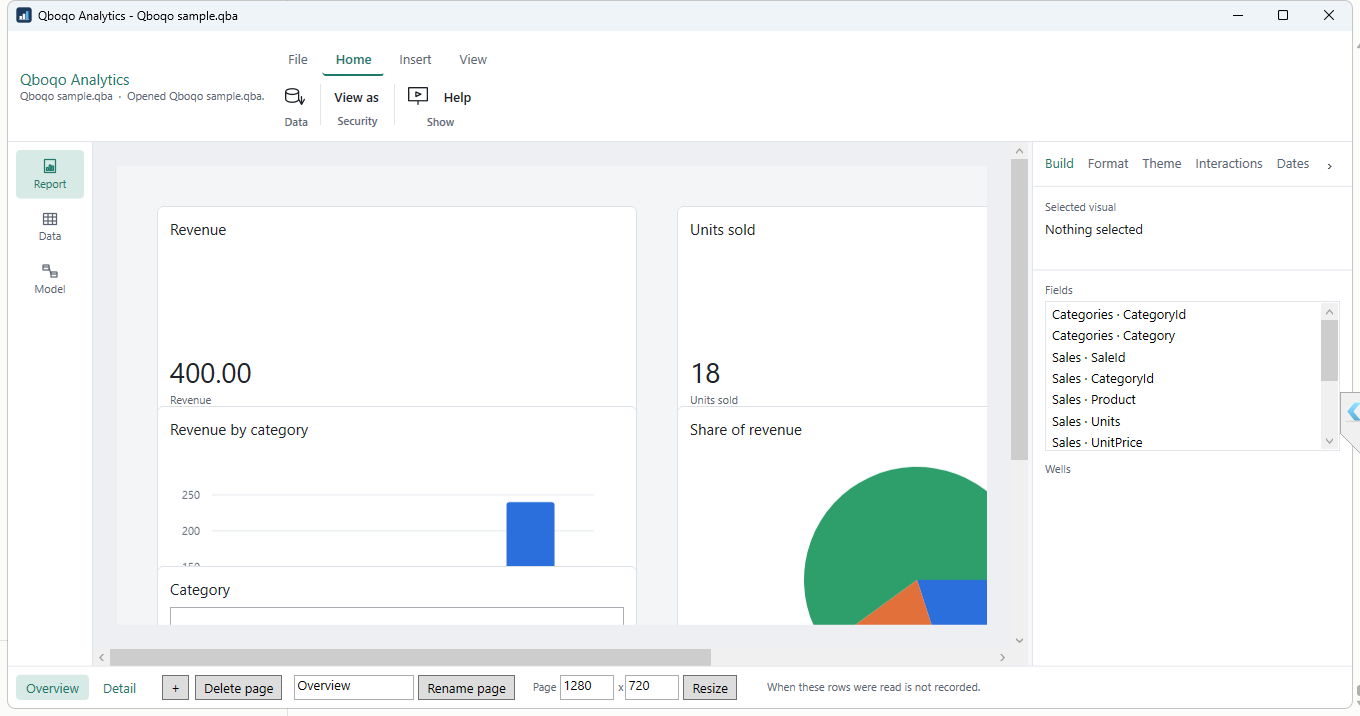
Cards, bars, lines, pies, matrices, maps, small multiples and more, with slicers, bookmarks, drill-through and cross-highlighting between them.
PDF, spreadsheet, image
Export a page, a visual or the data behind it. Print it. Or hand somebody the report file itself — it carries the model, not a link to one.
Offline is the design, not a setting
There is no switch to turn this on, because there is nothing to turn off.
No account, ever
No sign-in, no licence key, no activation, no trial, and nothing tied to your machine. Install it and use it.
Nothing is sent anywhere
No telemetry, no usage data, no update check. The only network connection it opens is to a database server you typed the address of.
It works disconnected
Proven, not asserted: the whole journey — import, model, chart, save, reopen, export and print — is run on a machine with its network switched off before each release.
Your files are yours
Reports are ordinary files on your disk. Nothing is held in a service you would have to get your work back out of.
If you know Power BI, you already know this
The workspaces, the field wells, the ribbon and the formula bar are where you expect them.
The expression language is QX, which takes the spellings you already type — SUM,
CALCULATE, RELATED — and refuses by name, with a reason, anything it
does not implement. It never pretends a formula worked.